Change document type in DRAKE
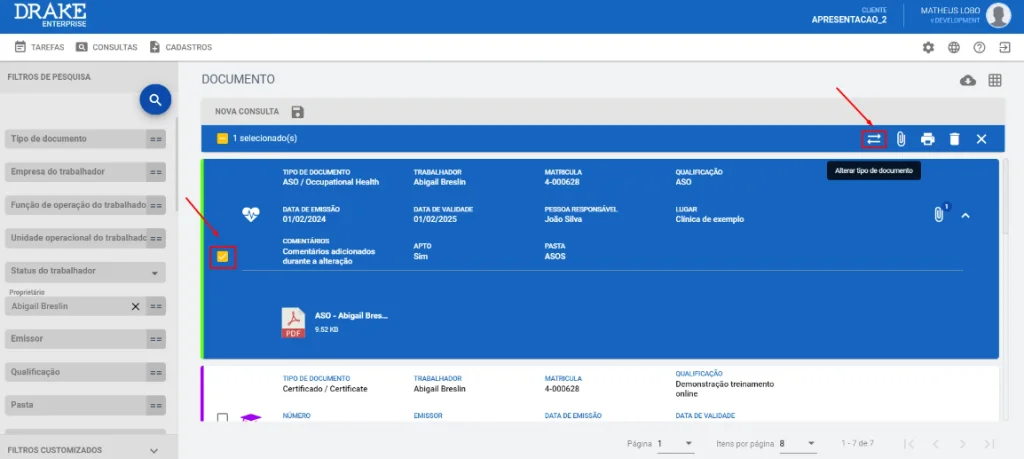
An update now allows users to change the type of a document already registered in DRAKE, without having to remove the record and/or create a new document.
To do so, simply select the document you want to change and click the icon highlighted in the image below to apply the change.
⚠️Attention: this option is only available if all selected documents are editable and of the same type. The user must also have permission in the system to remove documents of this type.