Feature replacement notice
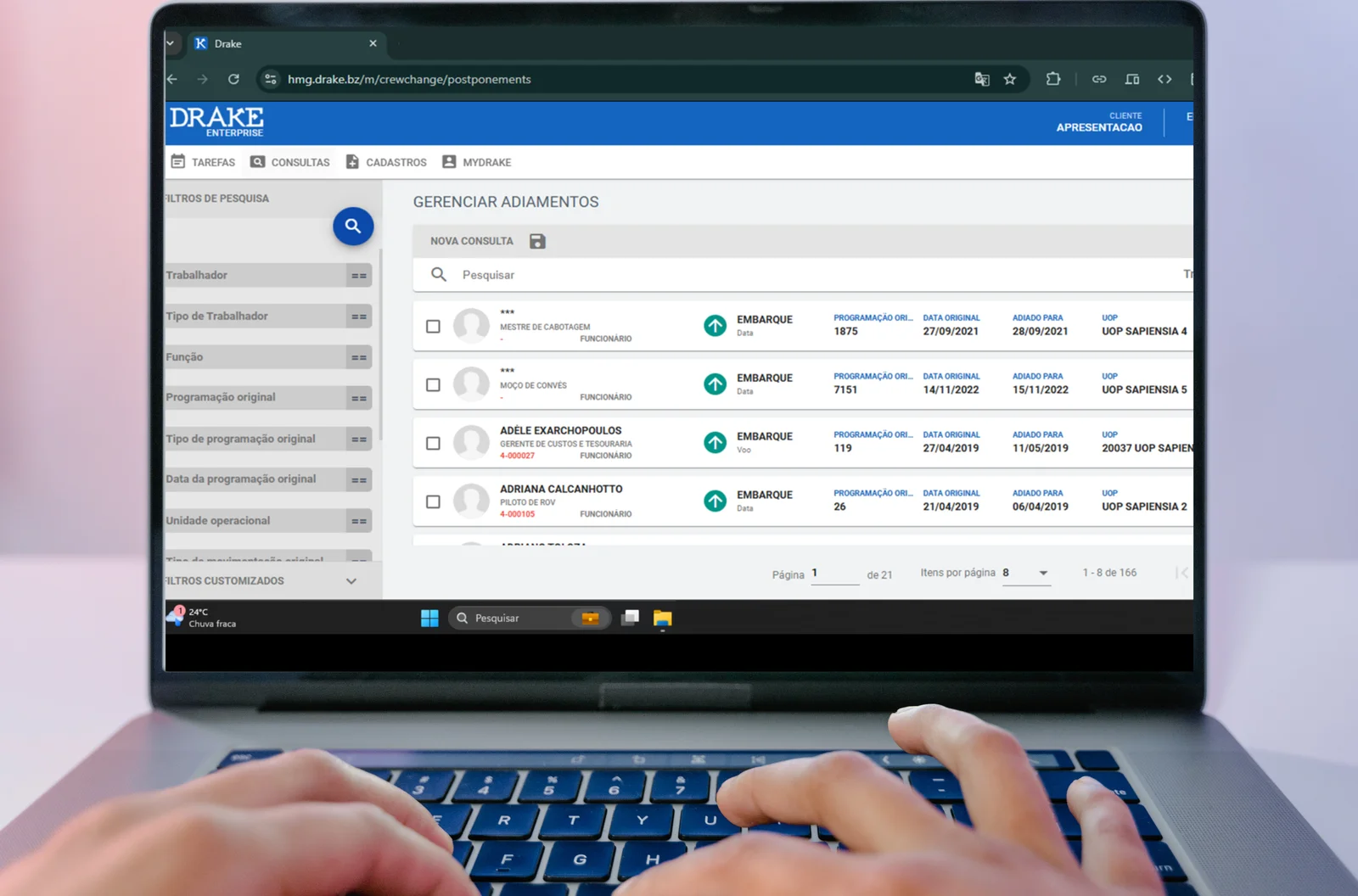
The Cancel Postponement screen will be discontinued as of 12/16 and replaced by the new Postponement Management screen1
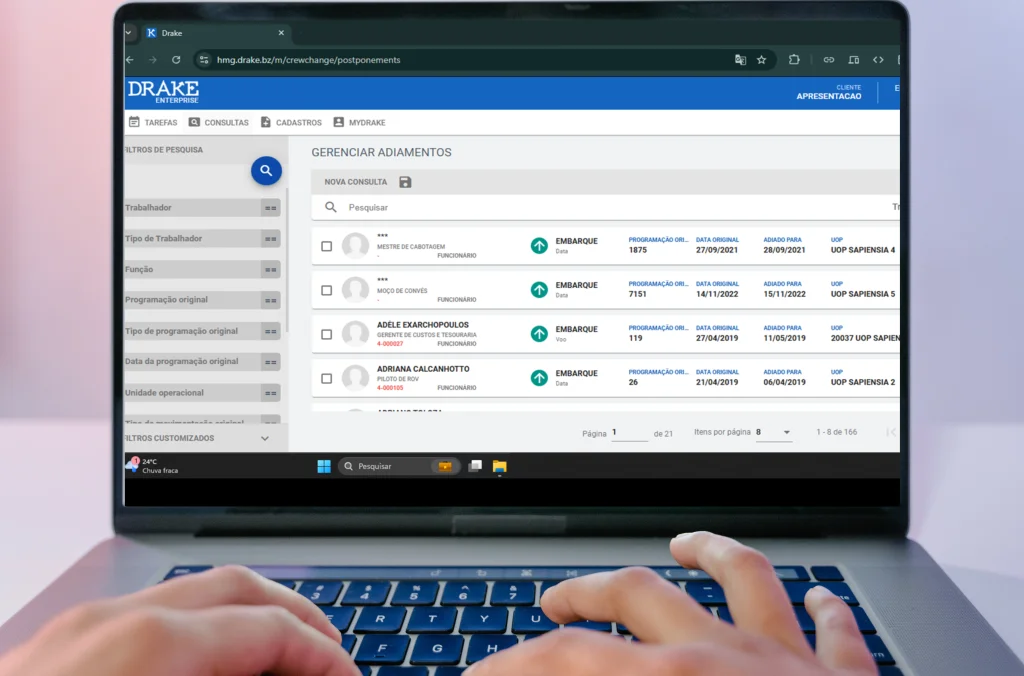
It is now easier to view workers who have postponed schedules! With the Manage Postponements screen, you can not only view all of a worker’s postponements, but also get additional information, such as the reason for the postponement, the original schedule of the postponement, and more!
Another feature we consider extremely important for our users, which is also available on this screen, is export to Excel. To use it, just select the table icon in the upper right corner of the screen and export, as in items 1 and 2 below:
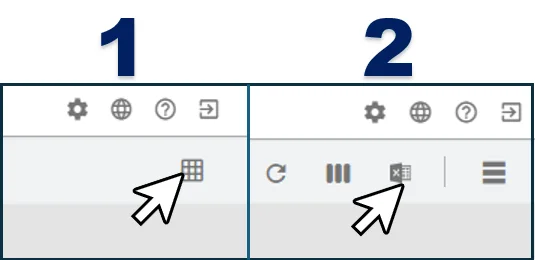
With this new feature, managing postponement information will be much more practical in your day-to-day work!
To access this new screen, your profile only needs to have the “Cancel postponement” permission assigned.
If you have more questions about how to use this screen, our Wiki documentation is already updated, where you can find more information about accessing and managing the screen, by clicking here.
Thank you for your continued support and feedback. We are always looking for ways to improve DRAKE to make it the best possible platform for you.
If you have any questions or need help with the new screen, do not hesitate to contact us.
2. (Tasks>Shift Change>Manage Postponements) ↩︎